Git Control for Orca
 Git Control for Orca
All of Git — PRs, MRs and pipelines included — inside the editor. In daily use.
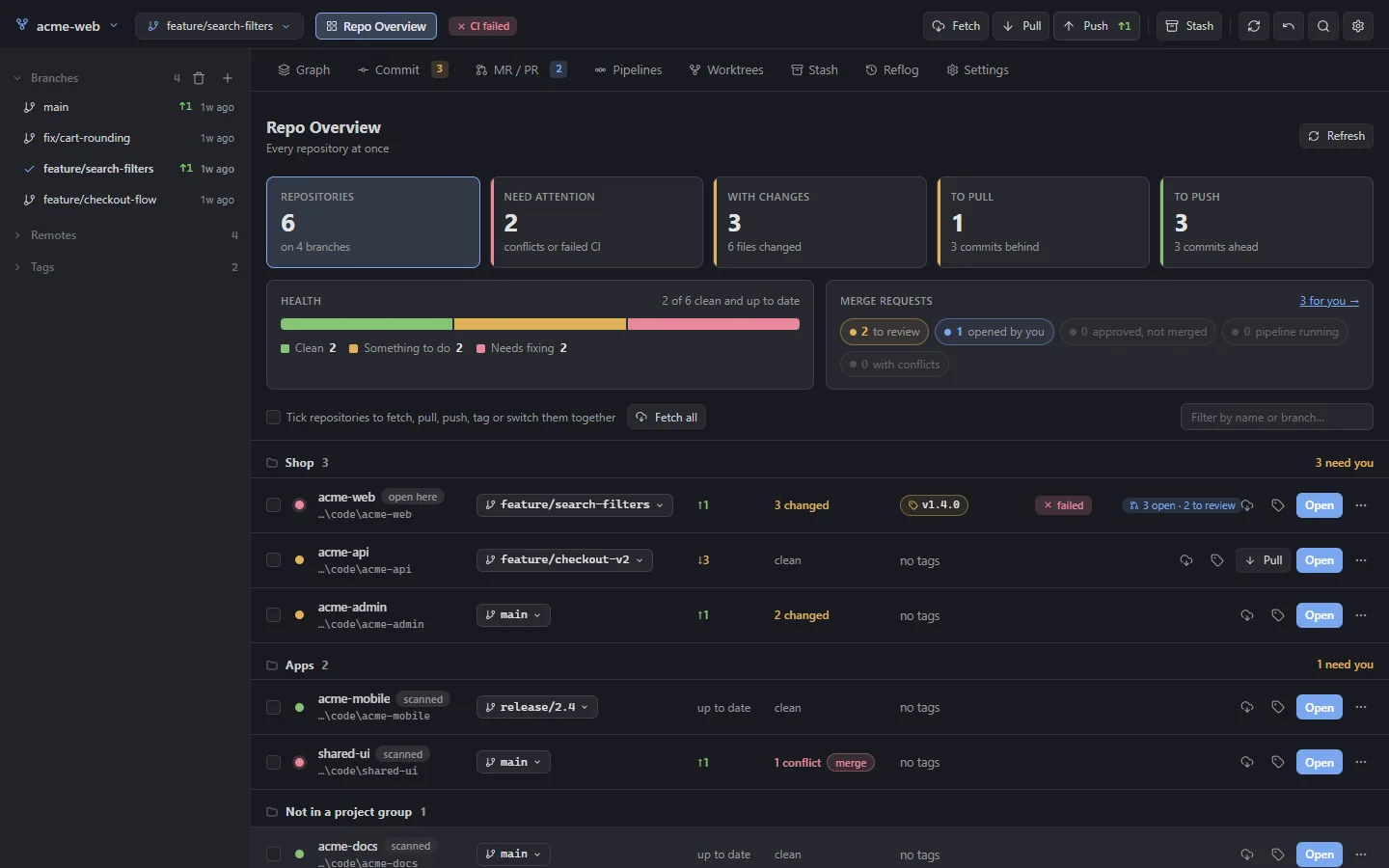
A Git client inside Orca: the commit graph, commits, branches, stashes, merge requests and pipelines for GitHub and GitLab, in the same tab as your code — for projects on your machine and on SSH servers. It uses your installed git and the login you already have, so there are no tokens to create.
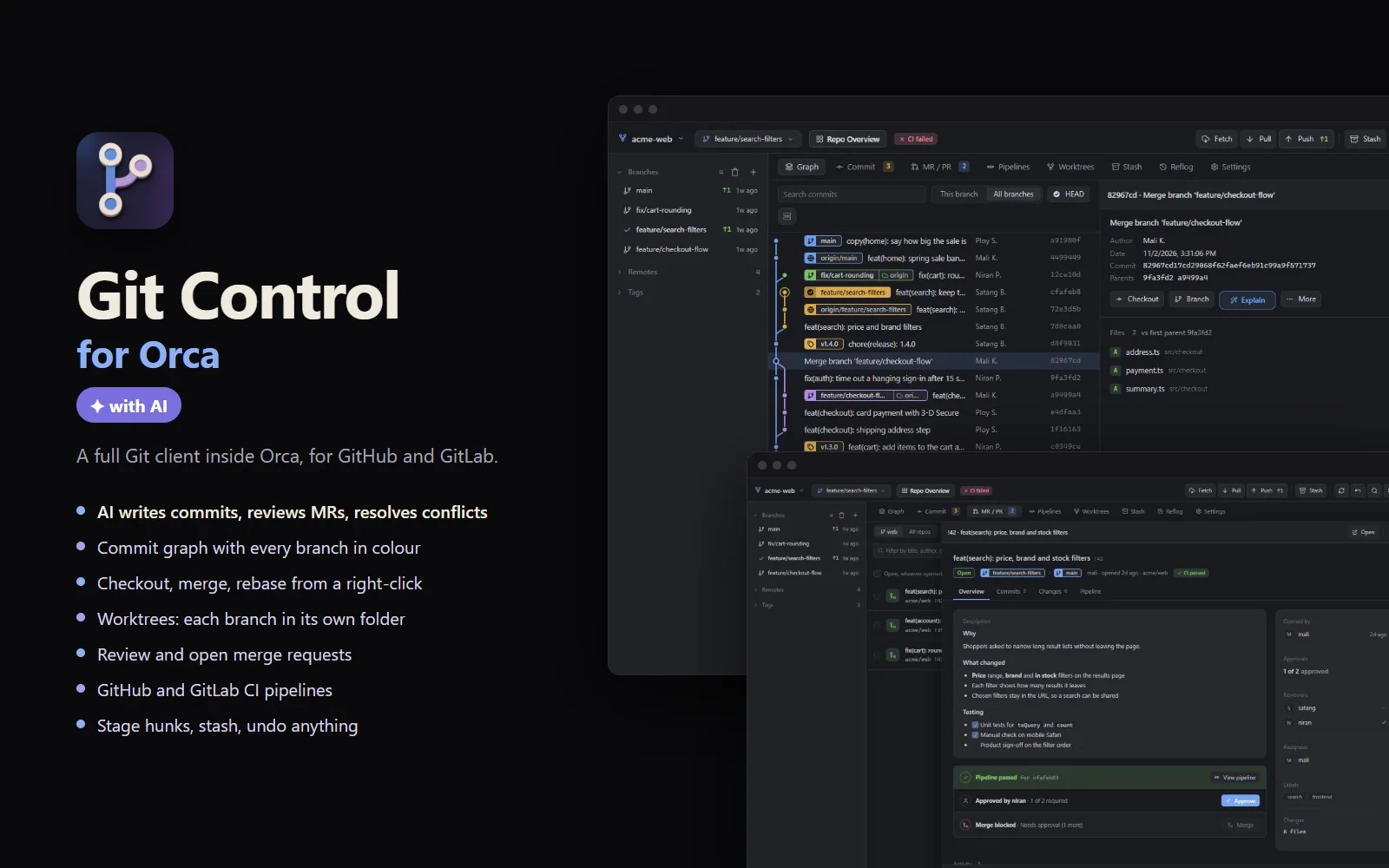

- PR · MR
- GitHub · GitLab · Bitbucket
- SSH
- review, approve and merge from the editor
- PR + MR
- merges several MRs in the background
- Queue
- works with projects on servers
- SSH
- tokens to create
- 0
Reviewing and merging meant bouncing between the editor and GitHub or GitLab all day. Git Control brings it next to the code — from reading history to merging when the pipeline passes.
Results
5 → 22 Nov 2026 · 136 commits · 38 releases (v0.5 → v0.12.1) · built with AI coding agents Results
- PRs/MRs and pipelines for GitHub, GitLab and Bitbucket Cloud
- Measured by the perf test: status 162 → ~106 ms, refs 180 → ~34 ms, submodules 519 → 0 ms
- History search ~10–40× faster on big repos; pipelines tab ~3× faster
- External contributors’ PRs merged (SSH hosts, an XSS fix); five UI languages after a user request
- ~21 test scripts incl. e2e, perf, rate-limit, and 52 Bitbucket checks plus a live read-only run
What it does
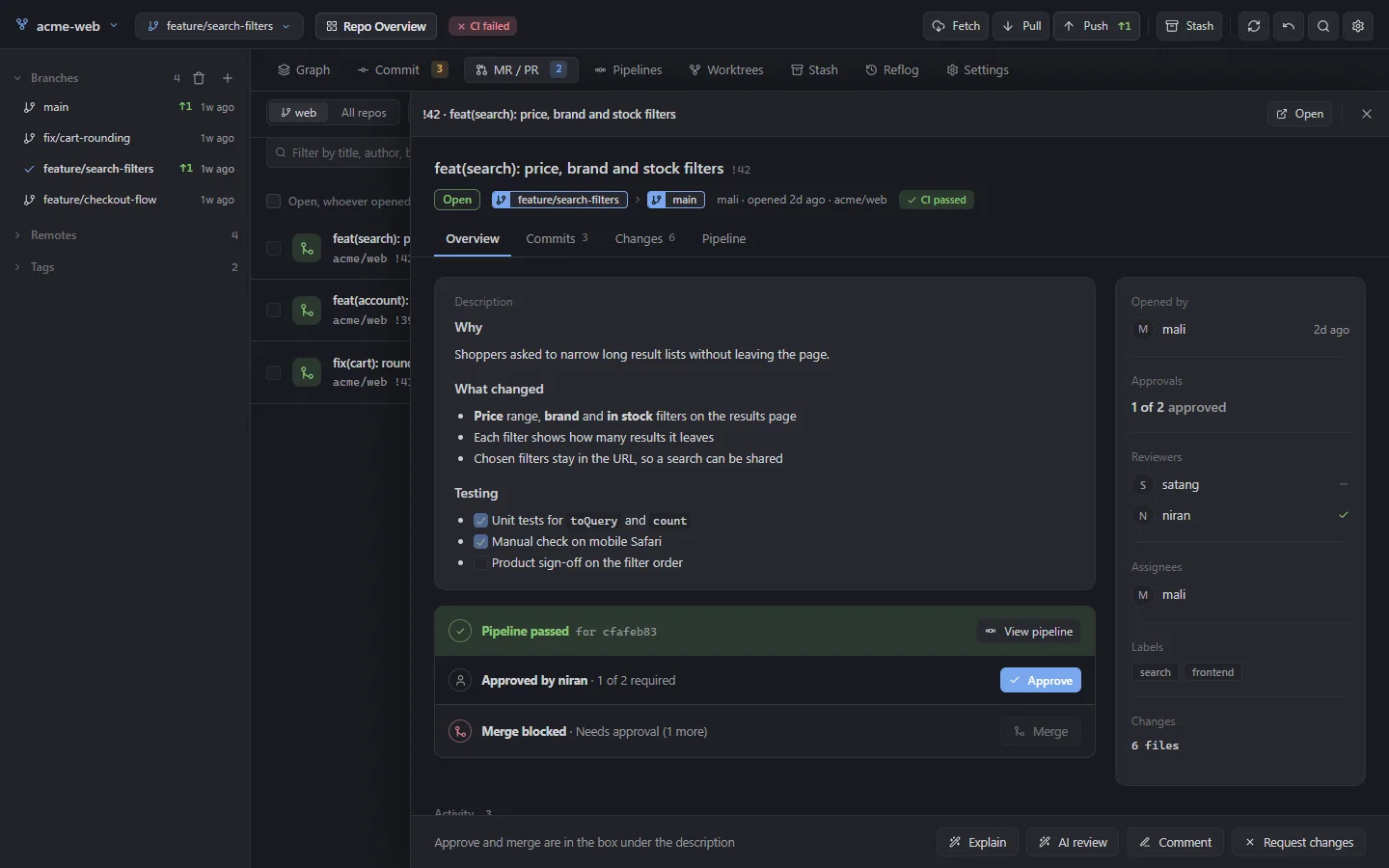
Review MRs and PRs like on GitLab
Description, reviewers, approvals, inline comments and the pipeline — then Approve or Merge right there, with Explain and AI review.
A merge queue that never collides
Tick several MRs and Approve & merge: they go one at a time per project, rebasing when GitLab asks, while you keep working.
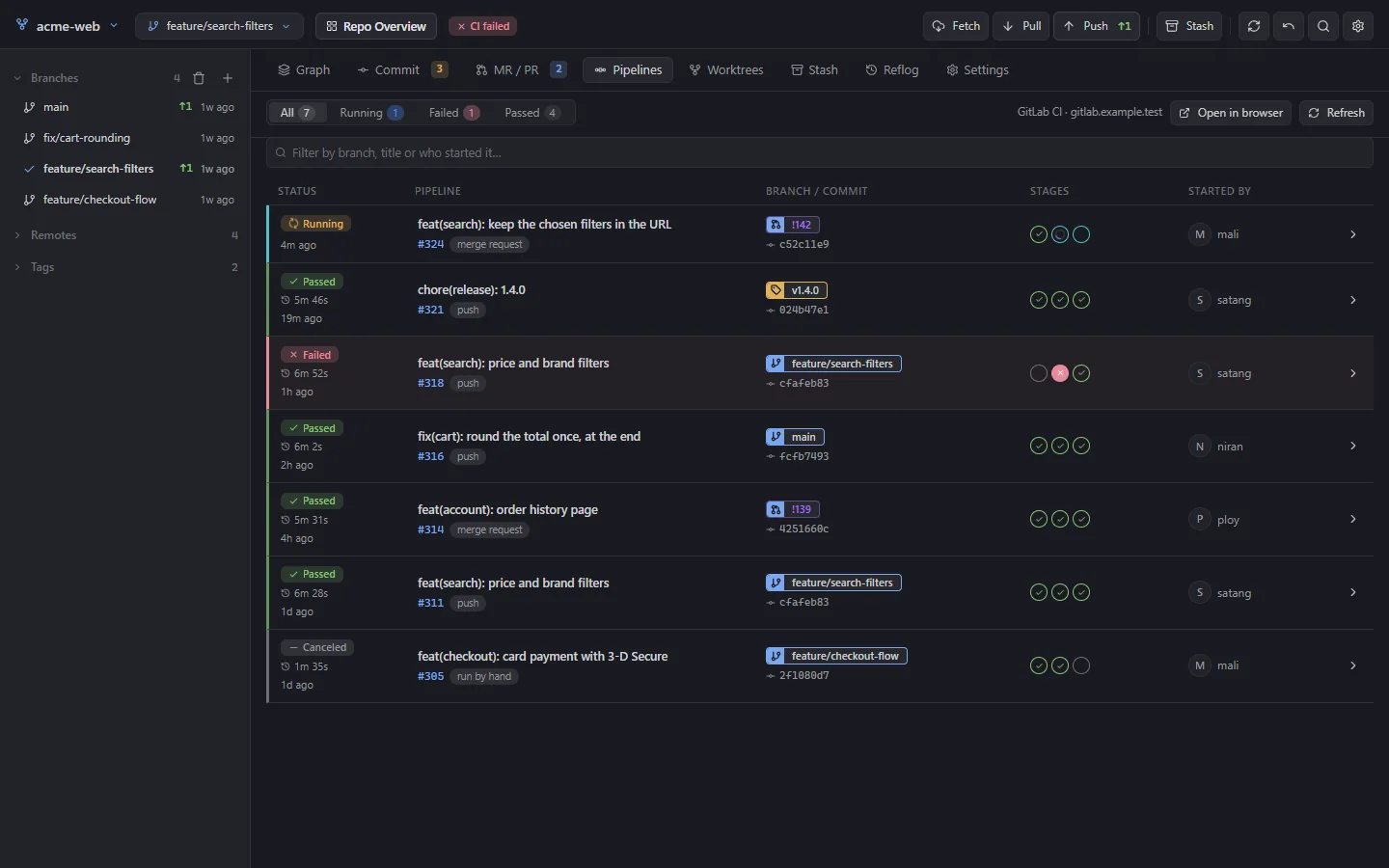
Every branch’s pipeline on one page
Status, commit, who started it and every stage, for GitHub and GitLab.
A second look before each commit
Flags secrets, tokens or keys, very big files and commits straight to main — and AI drafts the message.
Screens
7 screens · click to enlarge Screens
What went wrong — and how I fixed it
 What went wrong — and how I fixed it
Real problems from the commit history, not a highlight reel.
- 01Problem
Switching projects stalled: every tab asked Orca for the workspace every 3 s (spawning the CLI) and ran git status every 4 s, even when hidden.
How I fixed itHidden tabs stop polling, the lookup is skipped when the project is known, and the worker caches the workspace map until a change event.
- 02Problem
A repo with 300+ remote branches made the whole app slow.
How I fixed itOne git process per status, caching keyed on a refs/HEAD fingerprint, parallel detail fetches, and content-visibility so off-screen rows skip layout.
- 03Problem
The plugin channel caps each answer at 1 MiB, so repos with thousands of new files or many tags failed to load.
How I fixed itCollapsed new folders and capped at 3,000 files, then later split oversized answers into UTF-8-byte-counted parts that the panel reassembles.
- 04Problem
Security: Markdown in MR descriptions could inject an event handler, and a symlinked file in a repo could make the plugin write outside it.
How I fixed itRender links in a single pass instead of two, and open those files with O_NOFOLLOW.
- 05Problem
GitHub and Bitbucket rate limits (HTTP 429), and Bitbucket’s real API behaving differently from its docs.
How I fixed itShare searches across views and pause at the limit while keeping the last lists on screen, and test each case against the real API.
 How I fixed it
Your git, your login. Nothing new to set up.
- 01Install from Orca’s plugin marketplace
- 02Open a Git project, local or over SSH
- 03Sign in with the Git login, gh or glab you already have
- 04Review, merge and watch pipelines without leaving the editor
- Role
- Solo — design, the plugin, its worker and the test harness
- Stack
- JavaScript · Node worker · Orca plugin API · GitHub API · GitLab API · SSH
- Links
- GitHub ↗
 Next product